- Jun 11, 2025
15 Remote Work Tips for Managers and Employees
- Business Navigator
- Articles
- 0 comments
Remote work is a proven cost-saving solution for small businesses and gig industries. But to be effective, it requires the right systems, structure, and communication.
For Managers
Test Remote Capabilities
Ensure your systems can handle full-team remote access. Schedule a “remote drill day” where everyone works from home. Use tools like Zoom, Google Meet, Slack, and Microsoft Teams.Keep Communication Flowing
Send a daily check-in email or short video, and encourage team members to do the same. Supplement with weekly team updates. Bonus Tip: Loom and Slack are both excellent and popular tools for quick video messages.Centralize Contact Info
Use a shared team directory in your cloud platform or CRM. Tools like Google Contacts, Slack profiles, or HubSpot work well.Host Daily Virtual Stand-Ups
A quick morning meeting (15–20 mins) helps clarify daily goals and increases team visibility. Use this time to share wins, ask for help, and reset priorities.Clarify Expectations
Be specific: What should employees be doing? What does “success” look like? Use shared project trackers like Asana, ClickUp, or other tracking measures.Provide Resources & Tools
Make sure all SOPs, guides, and work templates are easily accessible in cloud storage (e.g., Google Drive, SharePoint).
Need a plug-and-play operations manual? The Business Navigator | "CORE" Operations Manual offers a fully built 30-page manual with video training to help you build and manage your own professional policies and procedures.-
Be Responsive & Available
Managers should keep an open-door (virtual) policy. Quick replies build trust and accountability.
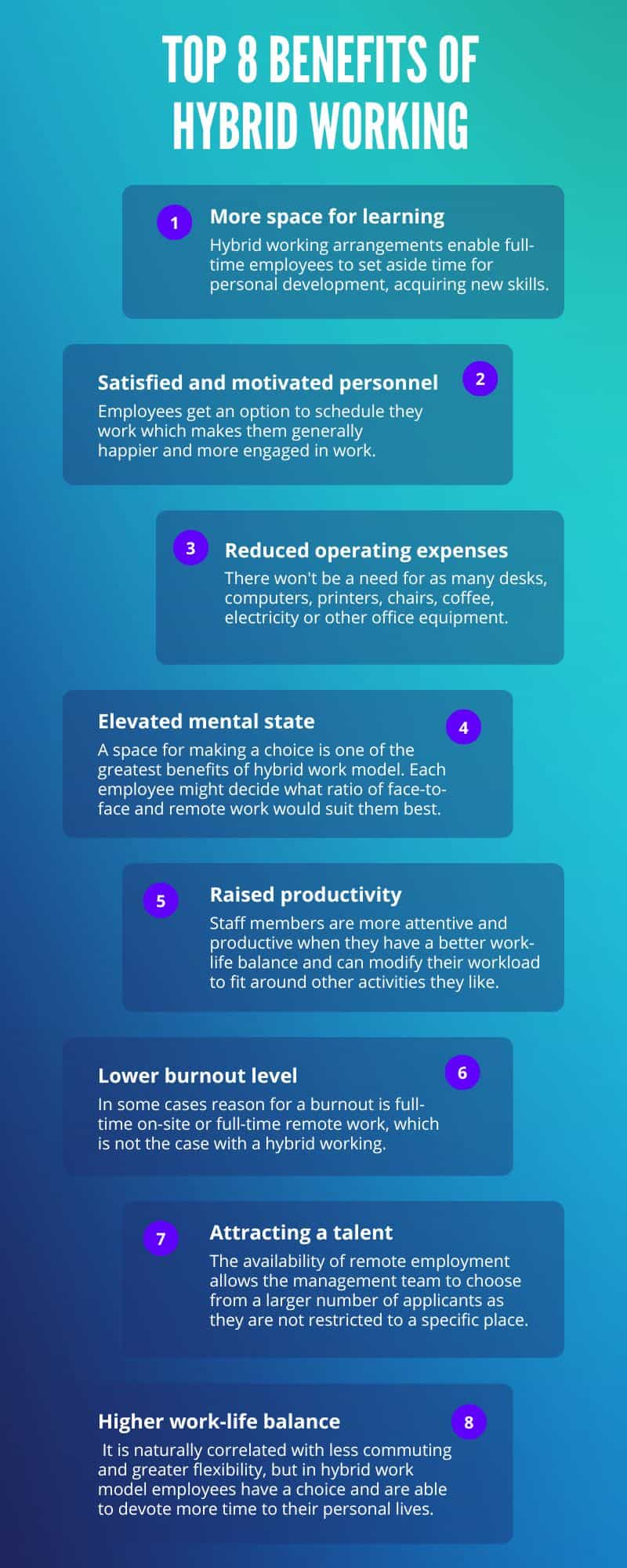
Credit Flexas https://www.flexas.com/blog/hybrid-working-benefits
For Employees
Create a Distraction-Free Workspace
Set up a dedicated space—spare room, office nook, even a clean corner with headphones and good lighting. Avoid TVs and multitasking.Set House Rules
Make expectations clear with those you live with. Block off “do not disturb” times and pre-schedule breaks for home responsibilities.Stick to a Routine
Keep your regular hours. Wake up, get dressed, eat lunch, and wrap up at consistent times. It signals to your brain (and household) that you’re “at work.”Call, Don’t Just Email
Recreate natural workplace interaction. If you’d usually chat in the break room or stop by someone’s desk—just call or jump on a quick video.Stay Connected
Make daily check-in calls or chats with colleagues. Human interaction boosts motivation.Set Daily Goals
Write down 3–5 priorities at the start of each day. Review them at the end. Share them with your manager during your check-in.Be Transparent About Your Schedule
Let your team know when you’re online and when you’re not. Update shared calendars or Slack statuses.-
Adapt and Optimize
Everyone’s rhythm is different. Test what works for you—and talk about it with your team. The more open the dialogue, the better your system will work for everyone.
Final Thoughts
Remote work can be a powerful productivity booster when handled correctly. With the right tools, structure, and support, your team can stay connected, aligned, and healthy—even when working apart.
👉 Need help getting your business operations and remote work systems in place?
The Tempest Business Navigator provides digital toolkits, plug-and-play SOPs, and training courses to help you build your business the right way—anytime, from anywhere.
Explore at www.tempestnavigator.com
Sign up to get more FREEBIES!
Sign up to be notified when we have promotions, new resources, webinar and training announcements and more!